
Out past the outlet.Stay powered through commutes, plans and everything in between.
Charge anywhere,
anytime.
Low battery shouldn't slow you down. Grab a portable Charge2Go power bank from a nearby station and keep your day moving.
Power on the moveOne simple rental. More freedom to go.
Your day stays yours.No need to stop and search for a wall plug when your battery runs low.
Take the charge with you.A portable backup that moves at your pace, wherever the day leads.
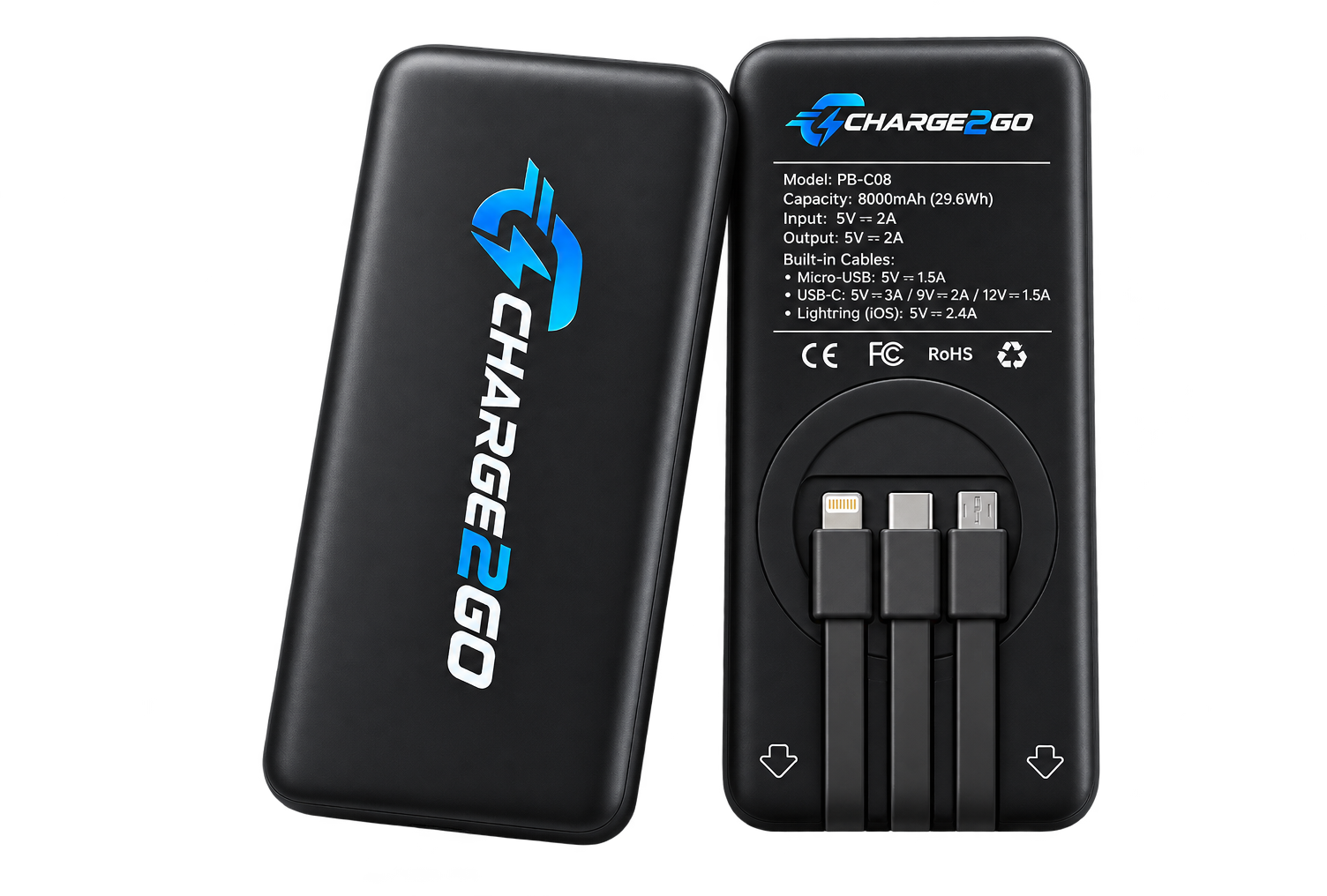
POWER ON THE MOVE
Power should
move with you.
Whether you're out for the day, meeting friends or exploring somewhere new, Charge2Go makes portable power easy to access when you need it.
Freedom to move
Take portable power with you instead of searching for an outlet.
Stay connected
Keep your phone powered while you are out, working, travelling or spending time with friends.
Easy return
Return the power bank to a participating station when you are finished and confirm the return is complete.
SIMPLE FROM START TO FINISH
Power in three steps.
No complicated setup. Just rent, charge and return.
STEP 01
Pay & rent
Choose your rental at the station and complete payment securely through Stripe.
SECURE CHECKOUT ↗
STEP 02
Pick up your charger
Once payment is complete, collect your Charge2Go power bank from the kiosk.
GRAB YOUR POWER BANK ↗
STEP 03
Return it
Return the power bank to a participating station and make sure your return is completed before you leave.
MAKE SURE YOUR RETURN IS COMPLETED ↗
BUILT-IN CONNECTORS
Power for your
devices.
Three built-in connector options, ready when you need them.
THREE CONNECTORS. ONE POWER BANK.
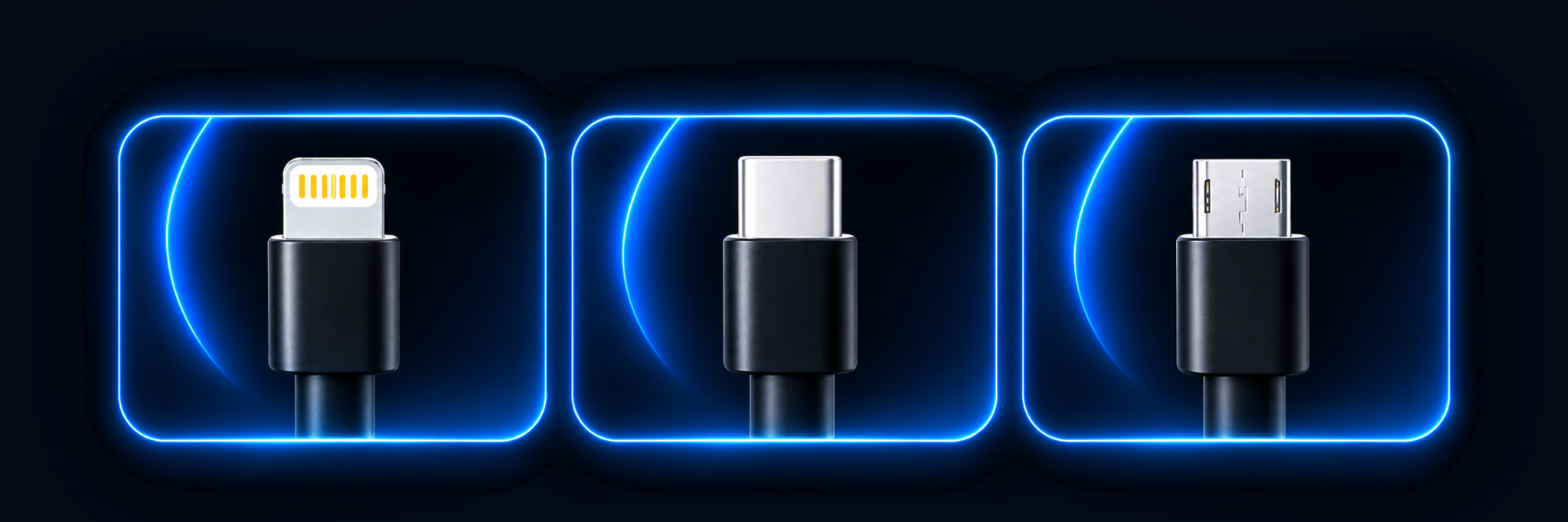
LightningiPhone models with a Lightning port
USB-CiPhone 15 and newer, plus USB-C devices
Micro-USBCompatible Android and other Micro-USB devices
CLEAR BEFORE YOU RENT
Simple rentals.
No surprises.
Rental pricing may vary from station to station. Review the displayed rental details at the kiosk before you complete your payment.
AT THE STATIONϟ
Check your station's pricing
You'll see the applicable rental price and terms before confirming your rental.
Temporary pre-authorizationMay apply
A temporary pre-authorization may be placed on your payment method through Stripe. The amount and release process are shown during checkout and may depend on the station's rental setup.
S Payments are processed securely through Stripe.
BRING CHARGE2GO TO YOUR SPACE
Let's keep people
powered up.
Interested in hosting a Charge2Go station or working together? We'd love to hear from you.
Get in touch ↗GOOD TO KNOW
Quick answers.
A few things to know before you rent.
Where can I find a Charge2Go station?+
Charge2Go stations will be available at participating locations. Check the station information where you are visiting for availability.
How do I pay?+
Payment is completed securely through Stripe at the rental station. Follow the payment instructions displayed on the kiosk.
Does pricing stay the same at every station?+
No. Rental pricing may vary from station to station. The applicable price and any pre-authorization details are displayed before you confirm payment.
Where do I return the power bank?+
Return it to a participating Charge2Go station. Before leaving, make sure the return has been completed successfully.
What is a pre-authorization hold?+
When you start a rental, a temporary hold is placed on your credit or debit card to confirm your payment method is valid and has sufficient funds. This is not a charge, and will disappear automatically.
How long does the hold last?+
The pre-authorization may appear as pending, and should drop off within a few days. Most holds are removed within 0–5 business days. In some cases, it may take longer depending on your bank or card issuer.
How do I end my rental?+
Return the charger to any Charge2Go station with the cables facing inward toward the slot. Before leaving, make sure your return is completed successfully.
Who can I contact for help?+
Email our support team at charge2_go@outlook.com.